Getting Started as a Tenant
Welcome to Fentrica. As a tenant, you can control your smart spaces, submit maintenance requests, browse the help center, and manage access for your area — all from a single dashboard.
Logging in
- Open app.fentrica.com in your browser
- Enter the email address and password provided by your building manager
- After signing in you will see a list of properties you have access to — select one to continue
If you have not received login credentials, contact your building manager or property administrator.
Install the app
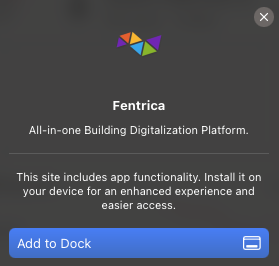
Fentrica is a Progressive Web App (PWA) — you can install it on your phone or computer for quick access without visiting the browser each time.
- Open app.fentrica.com and sign in
- Your browser will show an Install prompt (banner or icon in the address bar)
- Tap Install or Add to Home Screen
- The app appears on your home screen or desktop like a native application
On iOS Safari, tap the Share button and select Add to Home Screen if the automatic prompt does not appear.
Choosing a property
If your account is linked to multiple buildings or properties, you will see a property list after logging in. Select the property you want to manage. You can switch between properties at any time from the navigation.
Dashboard overview
The tenant dashboard is your home screen. Depending on the features enabled for your building, you may see:
- Smart Spaces — Spaces you can monitor and control (lighting, climate, etc.)
- Maintenance Requests — Tickets you have submitted and their current status
- Access Management — Manage users, access cards, and license plates (master users only)
- Help Center — Quick link to the building's knowledge base
Not all sections are visible in every building. Your property manager decides which features are enabled.
What you can do
- Smart Spaces — View and control IoT-enabled spaces assigned to you. Learn more
- Maintenance Requests — Report issues and track progress. Learn more
- Help Center — Search the knowledge base for answers. Learn more
- Access Management — If you have a master role, manage users, cards, and license plates. Learn more
- Profile & Settings — Change your password, language, and preferences. Learn more